Drawee
Mixed Reality Drawing for Quest 3, Quest 3S and Galaxy XR
Inventor & Developer
Drawee is a mixed reality drawing app that turns your real world into your only color palette. Designed for Meta Quest 3, Meta Quest 3S, and Galaxy XR (coming soon), Drawee lets you paint directly inside your physical environment using real world colors, textures, and live video.
There are no artificial colors, no presets, and no virtual materials. Every stroke is created by sampling reality around you. Walls, floors, objects, light, and motion all become part of your artwork.
Watch the Trailer
Mixed Reality Drawing That Uses the Real World
Drawee is built around one core idea: reality is the palette.
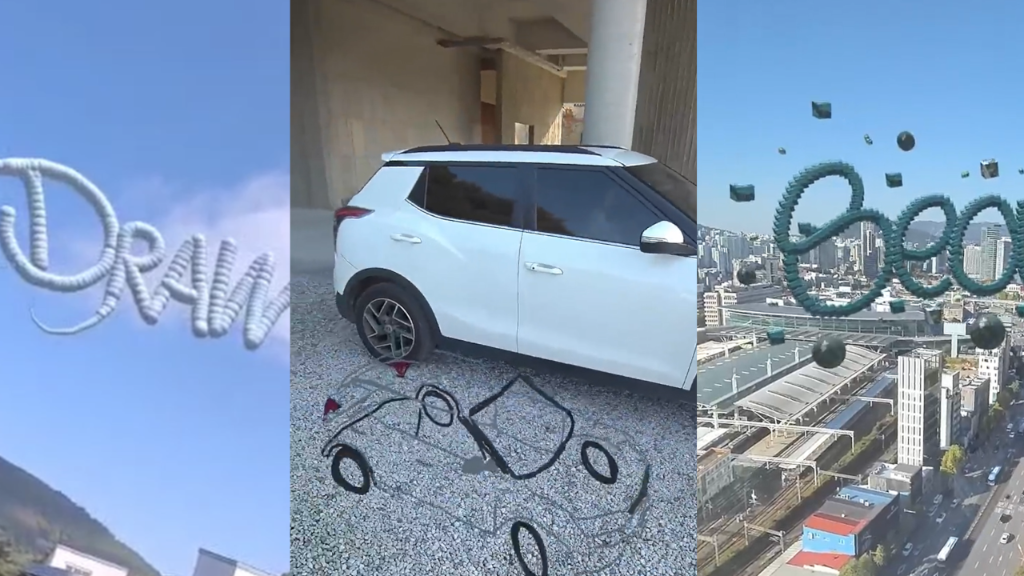
By using advanced mixed reality capabilities and camera access on supported headsets, Drawee samples colors and textures directly from your surroundings. What you see is what you paint with. Every brush stroke reflects the space you are standing in at that exact moment.
This creates artwork that is unique to your environment and impossible to recreate digitally without being there.
See Drawee in Action
True Spatial Painting in 3D
Drawee is not a flat drawing app placed into mixed reality. It is designed for full spatial creation.
You paint, draw, and sculpt directly in 3D space. Walk around your artwork, change perspectives, and build forms at real world scale. Your room becomes both studio and canvas, allowing you to create art that exists naturally in your environment.
More Than 16 Dynamic Brush Styles
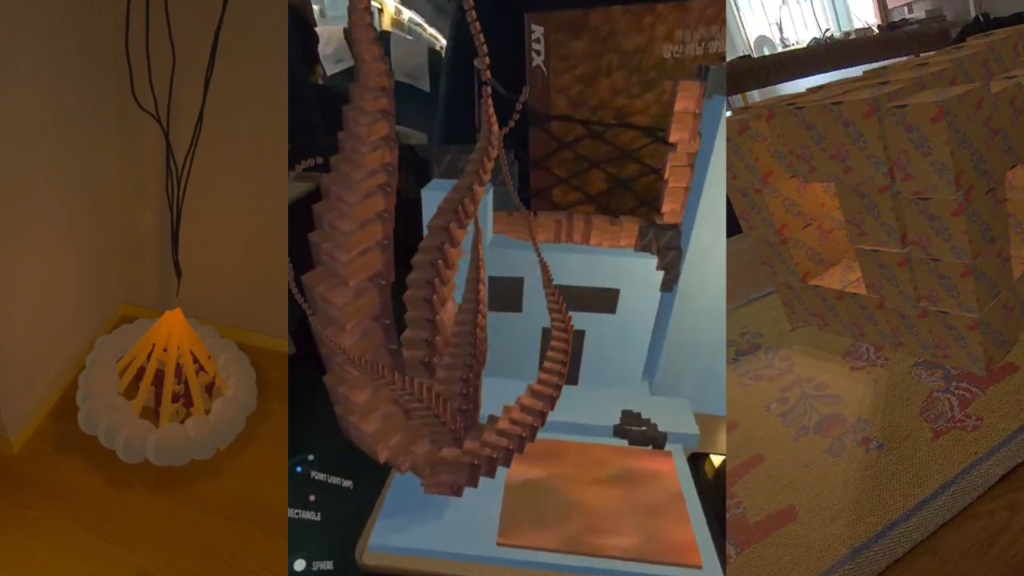
Drawee offers more than 16 dynamic brush styles optimized for mixed reality workflows. Brushes include soft strokes, voxel brushes, sphere brushes, freeform box brushes, light based brushes, and experimental volumetric tools.
Every brush can be used in two distinct modes: paint using captured textures from your environment, or switch to live video brushes that continuously sample the camera feed. This allows motion, lighting changes, and environmental details to flow directly into your strokes.
Key Features
Straight Line & Freeform Tools
Create clean shapes, technical structures, and architectural forms. Switch instantly to freeform drawing for organic strokes.
3D Creation Modes
Voxel mode for block-based structures, sphere mode for organic forms, freeform box mode for complex volumetric shapes.
Video & Picture Brushes
Paint using live camera input or captured textures. Your artwork evolves together with the space around you.
Export to GLB & STL
Export as GLB for sharing and archiving, or STL for direct 3D printing. Turn mixed reality art into real objects.
Complete Creative Toolkit
Spatial Canvas Controls
Move, rotate, and scale your canvas freely in mixed reality. Inspect details up close and place your creation exactly where it feels right.
Save and Continue Anytime
Multiple save slots let you store up to three creations locally. Pause your work and continue later without losing progress.
Controller and Hand Tracking
Controller input provides precise control for detailed painting. Hand tracking enables a more natural way to draw and sculpt in space.
Supported Platforms
Drawee is designed as a cross platform mixed reality experience.
Meta Quest 3 & Quest 3S
Available now on the Meta Quest Store. Full mixed reality support with passthrough and hand tracking.
Galaxy XR
Coming soon. Expanding Drawee to the next generation of Android based mixed reality devices.
Create With Reality
Drawee is not about escaping the real world. It is about transforming it into art.
Paint with your environment. Build in real space. Export your creations into the physical world.
Get Drawee Now
Available for Meta Quest 3 and Meta Quest 3S, with Galaxy XR support coming soon.
Download on Meta Quest Store